Arranger, Workstation, or Synthesizer — What's the Difference, and Which One Do You Actually Need?
Updated April 2026 · 7 min read
If you've ever tried to buy a keyboard and ended up more confused than when you started, you're not alone. The words "arranger," "workstation," and "synthesizer" get thrown around constantly — sometimes on the same product page — and nobody ever stops to explain what they actually mean.
Here's the honest breakdown. If you'd rather answer a few questions about what you play and your budget, the music keyboard finder points you to the right type.
The Arranger: The One-Man Band Machine
An arranger keyboard is built around one core idea: you play a chord with your left hand, and the instrument builds a full band around it. Drums, bass, strings, brass — all playing in the style you choose (pop, bossa nova, reggae, whatever). It's genuinely impressive the first time you hear it.
Arrangers are designed for performers who want to sound like a full ensemble on their own. Think wedding gigs, church, live lounge performances, solo entertainers. They usually come packed with hundreds of built-in styles, auto-accompaniment, a microphone input, and sometimes built-in speakers.
Great for:
- ✓Live solo performance
- ✓Beginners who want instant musical results
- ✓Entertainers and gigging musicians
Not ideal for:
- ✗Studio production or sound design
- ✗Players who find auto-accompaniment limiting
Top arranger keyboards
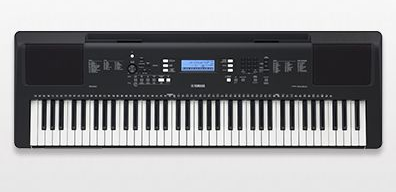
Yamaha PSR-EW310
Entry-level, 76 keys, solid style library — great for beginners
View on Amazon open_in_new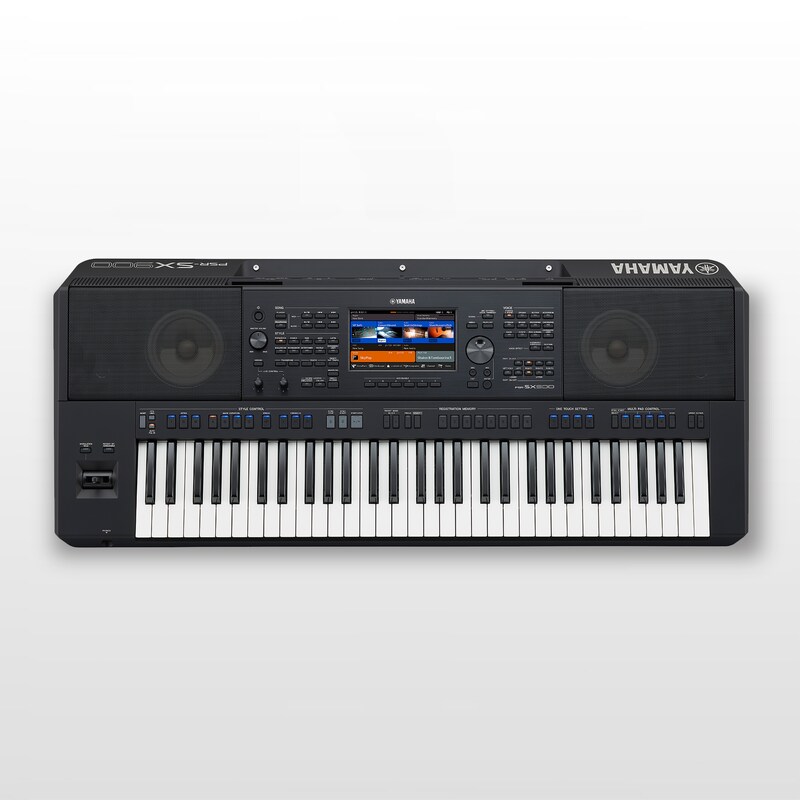
Yamaha PSR-SX920
The serious step-up — used by working musicians, excellent styles and voices
View on Amazon open_in_new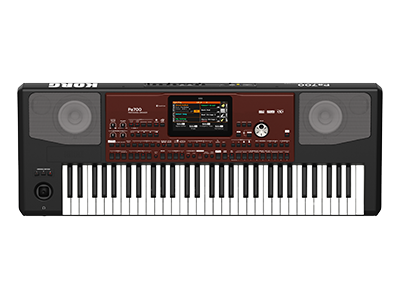
Korg Pa700
The professional arranger Korg players swear by — outstanding style engine and sound quality
The Workstation: The Studio in a Box
A workstation is a self-contained music production environment. You can compose, arrange, record multiple tracks, program beats, layer sounds, and mix — all without a computer. They have deep sound libraries, a sequencer, and often sample playback or even sample recording.
The difference from an arranger is fundamental: a workstation is about creating music from scratch. You're the composer, not the performer getting backed by auto-accompaniment. Workstations are popular in studios, home recording setups, and with producers who want to work away from a screen.
Great for:
- ✓Songwriting, production, and recording
- ✓Composing and arranging
- ✓Players who want creative depth
Not ideal for:
- ✗Live solo performance needing auto-accompaniment
- ✗Total beginners who just want to play songs
Top workstations
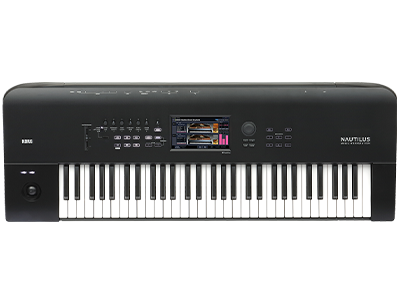
Korg Nautilus
One of the most popular workstations on the market — massive sound library, excellent sequencer, used by pros worldwide
View on Amazon open_in_new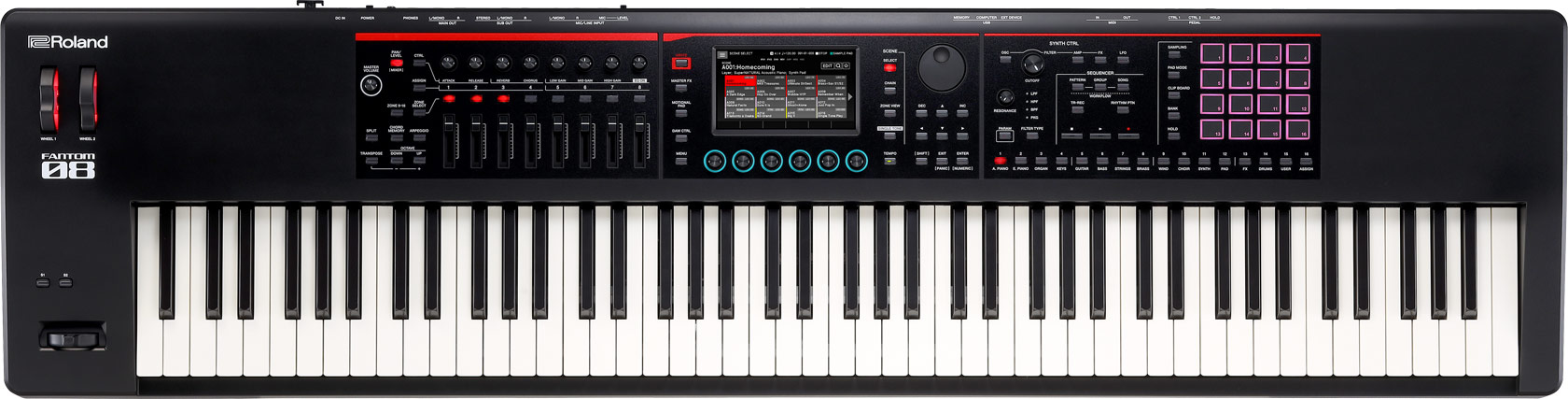
Roland Fantom-8
Roland's flagship workstation — deep synthesis engine, beautiful keybed, beloved for both live use and production
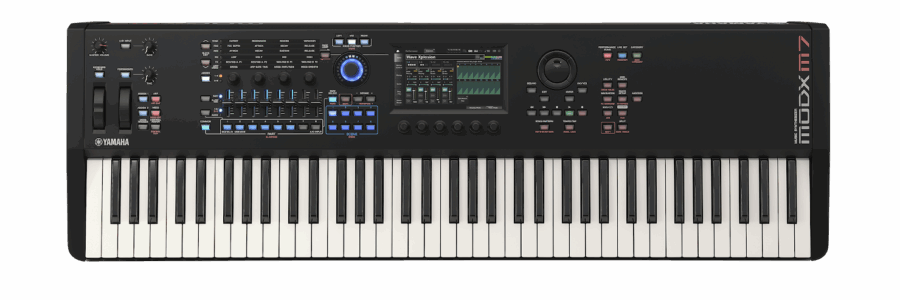
Yamaha MODX6+
A lighter, more affordable take on workstation territory with Yamaha's FM and AWM2 synthesis engines combined
View on Amazon open_in_newThe Synthesizer: For Sound Designers and Players Who Want Their Own Voice
A synthesizer generates sound from scratch — or manipulates samples — using oscillators, filters, envelopes, and effects. The word covers an enormous range: analog synths, digital synths, virtual analog, wavetable, FM, hybrid. What they all share is an emphasis on sound design: shaping and creating sounds, not just playing back presets.
Synths range from tiny desktop boxes to full 61-key stage instruments. Some are purely for sound design. Others are performance instruments with fantastic keybeds. Most don't have the deep sequencer of a workstation or the auto-accompaniment of an arranger — they're focused on the sound itself.
Great for:
- ✓Electronic music and sound design
- ✓Producers who want unique textures
- ✓Experimental music and any genre needing character
Not ideal for:
- ✗Someone who wants piano sounds and backing tracks
- ✗Beginners who want instant musical satisfaction
Top synthesizers

Korg minilogue
Analog/digital hybrid, incredibly popular — great for learning synthesis and performing live

Roland JD-Xi
Affordable hybrid synth with analog and digital voices, built-in sequencer and vocoder — a great entry point

Arturia MiniFreak
One of the most talked-about synths in recent years — hybrid digital synthesis with a massive sound palette for the price
The Quick Comparison
| Arranger | Workstation | Synthesizer | |
|---|---|---|---|
| Best for | Live solo performance | Production & composition | Sound design & electronic music |
| Auto-accompaniment | ✓ Yes — the main feature | ✗ No | ✗ No |
| Built-in sequencer | Basic | Deep, multi-track | Varies (often basic) |
| Sound design depth | Shallow | Medium | Deep |
| Typical buyer | Entertainer, beginner | Producer, composer | Sound designer, producer |
| Needs a computer? | No | No | Usually not |
Still can't tell which type fits how you play? Answer 3 quick questions in the music keyboard finder quiz and get a recommendation for your style and budget.
Still Not Sure? Here's the One Question That Decides It
Are you performing for an audience by yourself and need to sound like a full band?
→ Arranger.
Are you making music — writing songs, building tracks, composing?
→ Workstation.
Are you obsessed with sound itself — how it's shaped, layered, evolving?
→ Synthesizer.
A lot of players eventually own more than one. But if you're buying your first serious instrument, answering that one question honestly will save you a lot of money and regret. And if none of the three sounds like you because you mainly want to play piano, find the right digital piano for you instead.
Frequently Asked Questions
What is an arranger keyboard?
An arranger keyboard is built around auto-accompaniment: you play a chord with your left hand, and the instrument builds a full band around it — drums, bass, strings, and more in the style you choose. Designed for solo performers, entertainers, and beginners who want instant musical results.
What is a workstation keyboard?
A workstation is a self-contained music production environment. You can compose, arrange, record multiple tracks, program beats, and mix — all without a computer. Popular with producers and composers who want to work away from a screen.
What is the difference between an arranger and a workstation?
An arranger is for performers who want auto-accompaniment — a full band backing you live. A workstation is for creators who want to build music from scratch using a deep sequencer and sound library. An arranger has no deep sequencer; a workstation has no auto-accompaniment.
Should I buy a synthesizer or a workstation?
Buy a synthesizer if you are obsessed with sound design — shaping, layering, and creating your own sounds. Buy a workstation if you want to write, arrange, and produce full tracks. Many producers eventually own both.
Not Sure Which Keyboard to Choose?
Answer a few quick questions and get a personalized recommendation based on your budget and needs. Free, no signup required.
Find My Keyboard arrow_forwardFindKeyboard.com is an AI-powered keyboard recommendation tool. This article contains affiliate links — we may earn a commission when you purchase through our links, at no extra cost to you.